
Download CryptoTE – text editor, lightweight, encryption, secure notes, productivity tool, portable app, multitasking, file compression
Overview
CryptoTE is a lightweight text editor designed to elevate the standard note-taking experience with enhanced security and efficiency. Targeted at users who value both privacy and productivity, this app offers a secure alternative to traditional notepad applications. By integrating 256-bit encryption, automatic file compression, and a tab-based interface, CryptoTE addresses common pain points such as data vulnerability, storage inefficiency, and limited multitasking capabilities.
The app is particularly suited for individuals managing sensitive personal or professional information, including students, remote workers, and digital nomads who require a portable and reliable solution. Although the developer did not provide additional background on the origin or development philosophy behind CryptoTE, its long-standing presence since 2010 suggests a stable and continuously maintained tool. Real-world use cases include drafting confidential documents, storing login credentials securely, or organizing multiple project notes without clutter.
In the broader app ecosystem, CryptoTE fills a niche for minimal yet powerful productivity utilities that prioritize security without sacrificing simplicity.
Key Features & Functionality
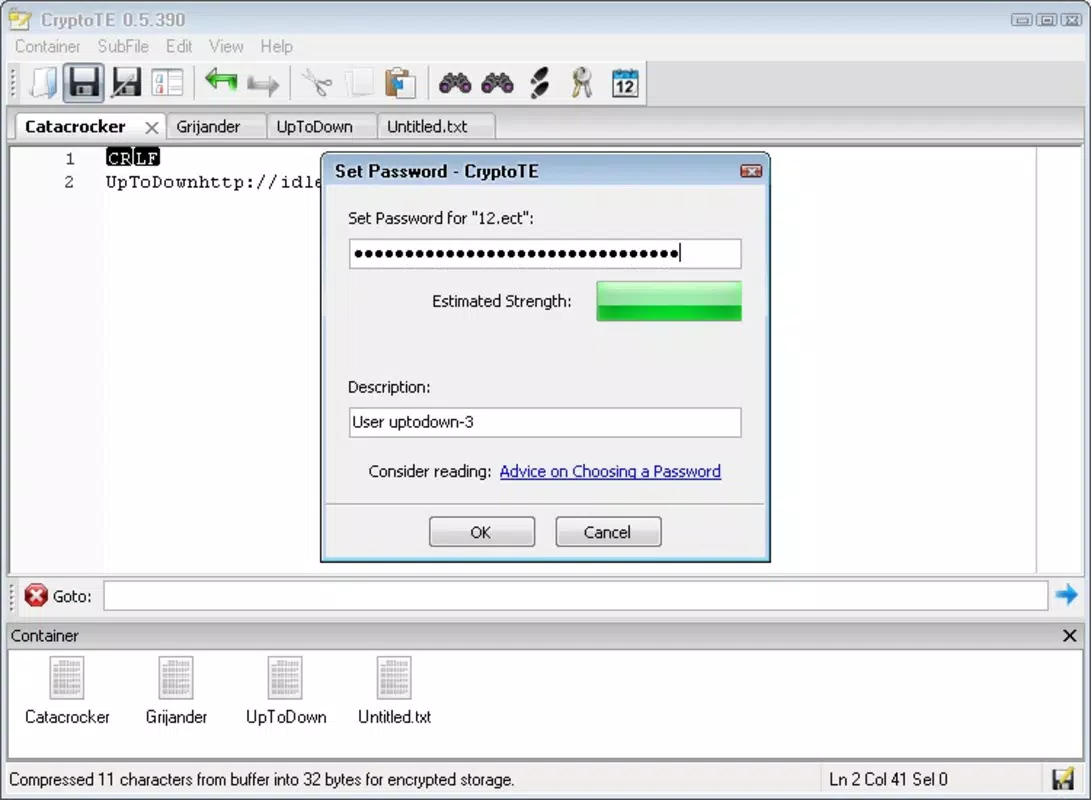
- 256-bit Encryption: Every document created or saved within CryptoTE is secured using 256-bit encryption, ensuring that only authorized users with the correct access can view or modify the content. This is especially valuable when storing sensitive data such as passwords, financial notes, or private journal entries.
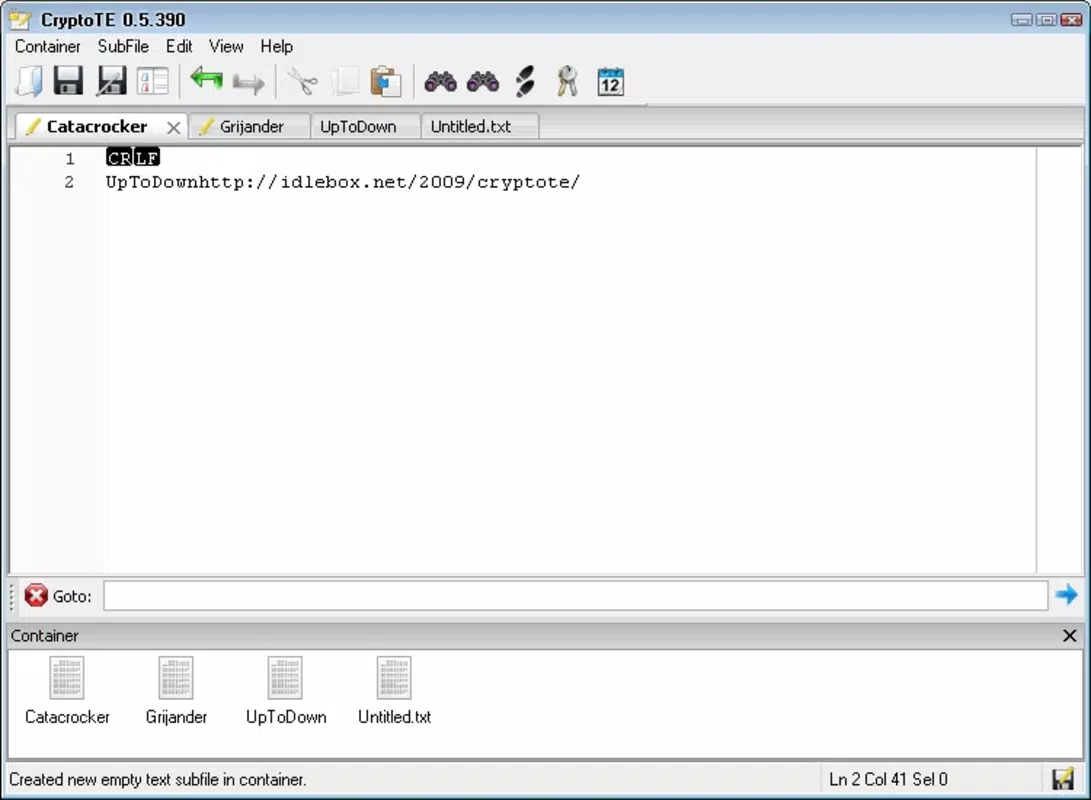
- Tab System: The built-in tab interface allows users to open and manage multiple documents simultaneously. Switching between files is intuitive and fast, enabling efficient comparison, referencing, or editing across different projects without the need to close and reopen files.
- Automatic Compression: Upon saving, documents are automatically compressed, reducing file size significantly. This helps conserve storage space on mobile devices and improves transfer efficiency when sharing files across platforms.
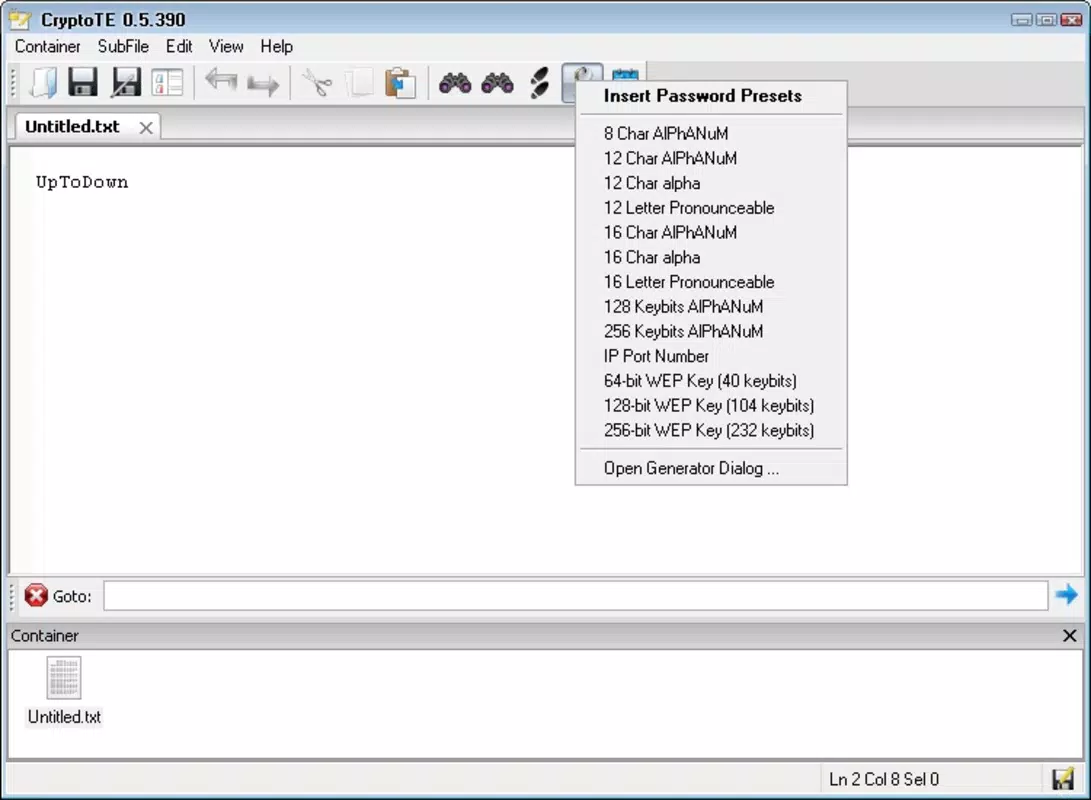
- User-Friendly Interface: Designed with simplicity in mind, the interface closely resembles classic notepad applications while incorporating modern enhancements. The layout minimizes distractions and reduces the learning curve, making it accessible to users of all technical skill levels.
- Portable Solution: As a lightweight application, CryptoTE requires minimal system resources and can be installed on various devices without compatibility issues. Its portability makes it ideal for users who frequently switch between devices or need a secure editor on the go.
For example, a freelance writer could use CryptoTE to draft multiple articles simultaneously using tabs, encrypt sensitive client information, and save space by compressing drafts. Similarly, a traveler might store encrypted personal notes or itineraries securely on their device, confident in both privacy and accessibility.
Interface, UX & Performance
The interface of CryptoTE is clean and minimalistic, focusing on core functionality without unnecessary visual clutter. The layout prioritizes readability and ease of navigation, with a straightforward text input area and clearly labeled controls. Users can expect a smooth experience when switching between tabs, entering text, and saving files.
Although the developer did not list formal performance metrics, the app’s small file size of 1.7 MB suggests optimized resource usage, which typically correlates with fast load times and low memory consumption. The app appears to maintain responsiveness across different device categories, including budget and mid-range smartphones, though specific benchmarks were not provided. Stability is implied by the app’s long availability since 2010, indicating consistent updates and maintenance.
The user experience is further enhanced by the intuitive tab system and seamless encryption handling—users do not need to manually enable security features, as they are applied automatically upon saving. While no third-party testing data was shared, the app’s design reflects a focus on usability and reliability.
Platform Compatibility & Technical Requirements
CryptoTE is available on the Android platform and supports the latest versions of the operating system. The current version is 2.0.1, with a file size of 1.7 MB, making it suitable for devices with limited storage capacity. The developer did not specify minimum OS requirements or device compatibility details beyond the platform.
As such, users should verify whether their device meets the necessary standards before installation. Given the app’s lightweight nature and long-standing presence, it is likely compatible with a broad range of Android devices released over the past decade. However, no official information was provided regarding support for older or newer Android versions.
The app is offered free of charge, making it accessible to a wide audience seeking a secure and efficient text editing solution.
Pros and Cons
Pros
- Lightweight design with minimal storage footprint
- Strong 256-bit encryption for secure note-taking
- Efficient tab system for multitasking across multiple documents
- Automatic file compression to save storage space
- Simple, intuitive interface suitable for all user levels
- Free to download and use with no in-app purchases
Cons
- Developer did not provide detailed technical specifications or system requirements
- Platform availability limited to Android only
- No information on cloud sync or backup functionality
- Compatibility with older Android versions was not disclosed
- Missing advanced formatting or collaboration tools
FAQ
Is CryptoTE safe to use on my Android device?
Yes, CryptoTE uses 256-bit encryption to protect your documents. The app is designed to safeguard sensitive information, and its lightweight, standalone nature reduces potential vulnerabilities associated with complex software.
Can I use CryptoTE offline?
Yes, the app functions fully offline. All encryption, saving, and editing processes occur locally on your device, making it ideal for use without an internet connection.
Does CryptoTE support file sharing?
While the app compresses files upon saving, specific sharing methods were not detailed by the developer. Users may be able to share files through standard Android file-sharing options.
Is CryptoTE updated regularly?
CryptoTE has been available since 2010, suggesting ongoing maintenance. However, the developer did not provide information on update frequency or future development plans.
Can I access my notes across multiple devices?
There is no indication that CryptoTE supports cloud synchronization or cross-device access. Files are stored locally on the device where the app is installed.
Final Thoughts
CryptoTE stands out as a reliable, secure, and efficient text editor tailored for users who demand more than a basic notepad. Its combination of 256-bit encryption, automatic compression, and a tab-based interface makes it a standout choice in the productivity tool category. The app is especially valuable for individuals who handle sensitive information and require a lightweight, portable solution without sacrificing functionality.
While it lacks cloud sync and advanced features, its core strengths—security, simplicity, and efficiency—deliver strong value. For those seeking a free, secure, and straightforward way to manage notes on Android, CryptoTE offers a compelling option. Download CryptoTE now.


